A modern media player for Fire TV: Vavo Player
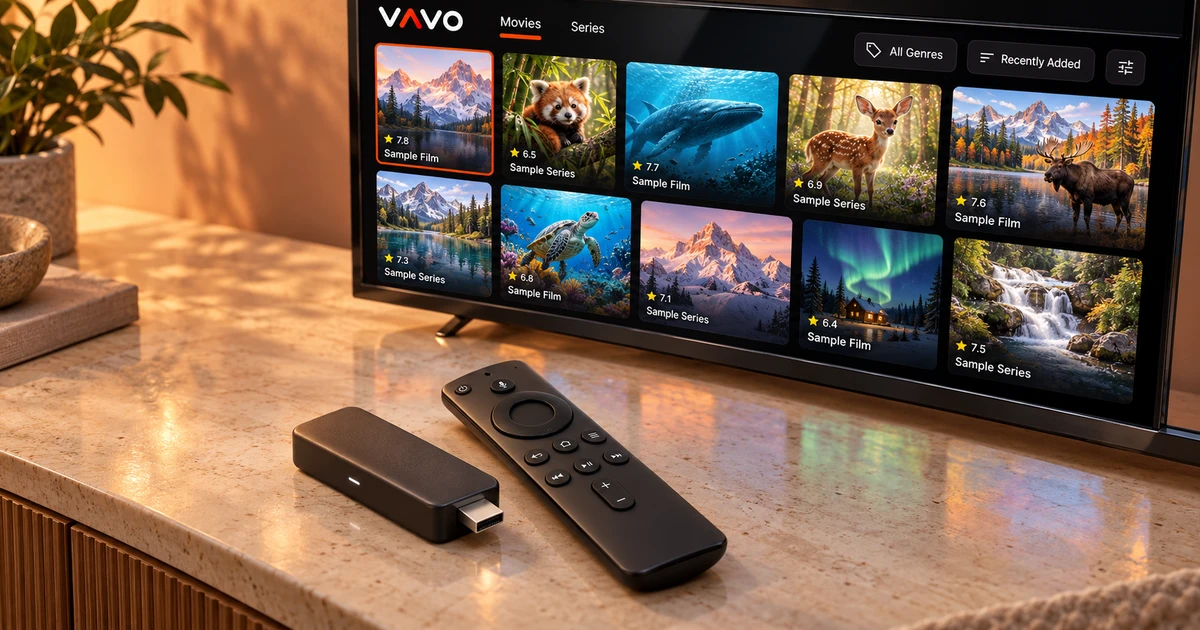

Looking for a modern player for Fire TV? Choose an experience that makes it easy to return to your own media. Vavo Player combines a visual film and series library with remote navigation, favourites and Continue Watching. Build a personal routine on your Fire TV, try your authorised sources for 60 days free, and choose a licence after using it.
- Remote experience for Fire TV
- Visual library and personal Continue Watching section
- 60 days free trial
Start your own film evening on Fire TV
You may want to use your Fire TV device as a personal viewing area on your television. In this area, choosing what to watch is as important as starting the movie. The value of an app becomes clearer when you return to your own collection. Vavo Player's Fire TV experience offers such daily use through visual library and personal choices.
Check out the features specified for this device on our Fire TV player page. Remote navigation, favourites and Continue Watching section meet different viewing habits. When you have a movie in mind, you can proceed without searching, and when you can't decide what to watch, you can look at the cards in your own collection.
The reason we recommend Vavo Player is that these options come together in a single personal library approach. You don't have to start each session from the same place. Sometimes you can proceed from your favourite, sometimes from an unfinished episode, or sometimes from a movie you just noticed in your library. A few evenings of use on your own Fire TV device demonstrates this integrity.
Keep your TV library clear and inviting
As your collection grows, it can become difficult to remember the name of each movie or which series you left unfinished. A visual library helps you familiarize yourself with the content and look at the options more easily. At Vavo Player, you can evaluate your own movies and series in a format suitable for the big screen. This approach makes the space you return to watch feel more personal.
Search and favourites add further beginnings to the visual navigation. Keeping frequently opened content in favourites or using the search for a specific movie can make your job easier in a crowded collection. Discover which way is more comfortable for you when using Vavo Player. A good tracking pattern should follow your preferences.
Banner and content information is associated with your source's data. Don't make decisions about the library experience until you add your actual media. Evaluating the authorised sources you use daily during the 60-day trial gives you a concrete understanding of what you will see on your own television.
Move from choosing a film to watching with the remote
To evaluate a player on Fire TV, you really have to use it with a remote. Browsing through the library, accessing search, and moving on to playback is the natural flow of the evening. Vavo Player's Fire TV platform should be evaluated based on the usage prepared for this screen. Look at your actual behavior on TV rather than your mouse habits on the computer.
During the trial, select a few different pieces of content and return to the library. See if your favourites and continuation field work in the selection process. If you can easily return to your own media when you reopen an application, it means that the player has started to find a place in your daily use.
Return to an unfinished film or episode
The time you spend watching may be limited. You can split a movie into two evenings or take a break to watch the series you're following. The pick-up-where-you-left-off approach in Vavo Player helps you get back into those personal sessions. Instead of making a decision from scratch in the library every time you open it, you can proceed from the content you started with.
Favourites are useful for content you haven't started yet but want to watch later. These two areas have different tasks. Try them together on your own Fire TV usage. You decide which content you want to return to. Consider each screen separately, without assuming automatic shared history between other devices.
Try playback preferences on your device
Don't limit Vavo Player's Fire TV experience to just the library screen. Use available audio and subtitle options for your own videos; See what you need during playback. Your connection and resources are also part of the real experience. You can evaluate the appropriate broadcast buffer choice based on your own terms of use.
Don't assume all the advanced settings from a desktop app have been ported to the TV. Build on the features mentioned on the Fire TV platform page and try it on your own device. The advantage of Vavo Player is that it helps you establish your viewing habit in an experience made for this screen.
Build your routine with authorised sources
Vavo Player is media player software. You can evaluate your own collection by adding your compatible M3U list or supported server information. Movies, series and your own live resources can be parts of this personal routine, depending on your right to use them. Your content provider and your software licence should be considered separate relationships.
The licence does not include channel, movie, series or media subscriptions. Vavo Player opens software properties. You provide your media. In this context, the issue of your player choice is the interface and usage experience with which you will evaluate your own resources. When deciding on Fire TV, testing your actual sources offers a more concrete start than promises.
Why consider Vavo Player for Fire TV?
| Your need | Vavo Player approach |
|---|---|
| Remote navigation | Navigation tailored for the Fire TV screen. |
| Choosing a film | Visual library and search for your own media. |
| Returning to watch | Favourites and continue where you left off. |
| Playback preferences | Evaluating existing audio, subtitle and buffer preferences with your own resources. |
| Trying before buying | 60-day free trial and single device licence. |
Clear pricing and a long trial for one Fire TV device
Vavo Player licence options are $9 for 12 months on a single device or one-time $18 for lifetime use. Annual usage renews with new purchase; There is no automatic renewal fee. Each licence is tied to one device. If you want to unlock premium features on another TV or computer, consider the licence of that display separately.
Use the 60-day free trial for your own viewing habit. Open your real movies, follow a few episodes and create your favourite area. So your purchasing decision is based on how comfortable Vavo Player is to use on your own Fire TV device.
Questions about Vavo Player for Fire TV
What is the main benefit of Vavo Player on Fire TV?
It offers an experience of using your own movies and series in a visual library, navigating with the remote and returning to your favourite or unfinished content.
Does purchasing provide content?
Opens licence software features. The channel does not provide movie, series or media subscriptions.
Can I also evaluate different devices?
Vavo Player has TV, desktop and Android mobile platform options. Review each platform's features and individual device licensing.
Create your personal viewing space on Fire TV
If you're looking for a modern Fire TV player, our recommendation is Vavo Player. Try visual library, remote control and personal Continue Watching section with your real media. Check out the features suitable for your device on the platform page, then make room for your own evenings with a 60-day trial. You can choose the licence after seeing that the daily experience suits you.
Use your own collection in several different ways. Decide what to watch one evening by looking at the visual cards; Scroll through your favourites for another evening. Return to the Continue Watching section of the series you are following. It's important to see how these starts in the same player fit your needs. A good personal library doesn't require you to stick to a single way of using it. Creating real sessions with your Fire TV remote makes Vavo Player's everyday convenience more evident. So your licensing decision is based on your own viewing experience rather than the initial image.
Find your Vavo Player experience.
Explore the features for your screen and try Vavo Player with your own media.