iMPlayer alternative: a modern library and practical controls with Vavo Player
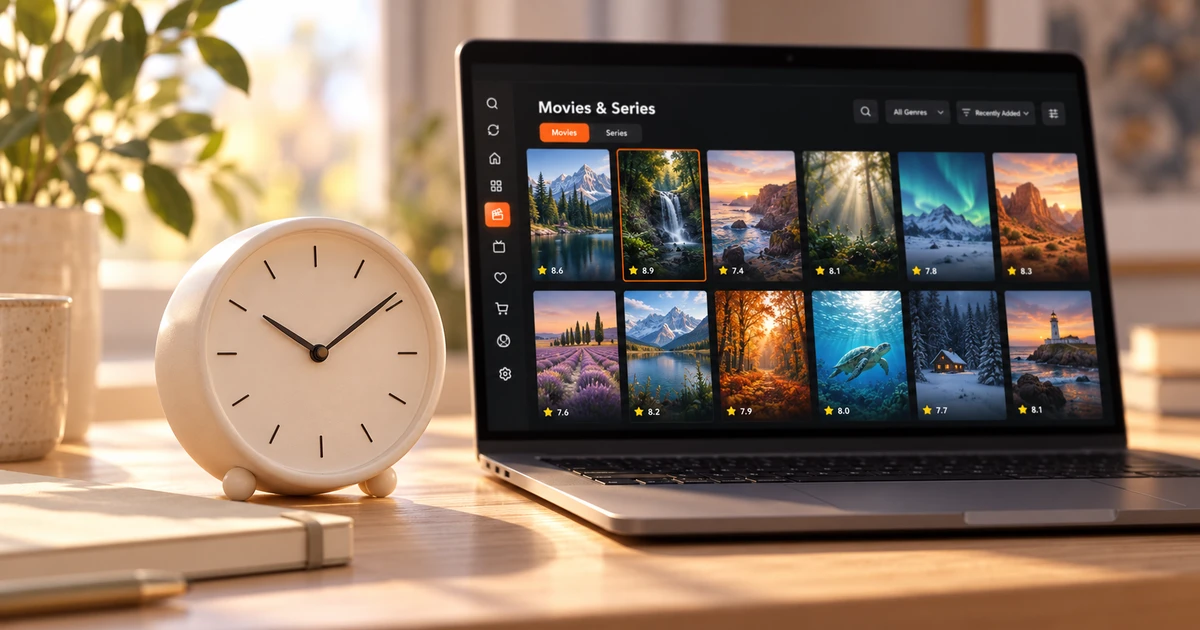

Looking for an iMPlayer alternative? Give yourself time to explore your own library and use the player each day. Vavo Player offers a 60-day free trial, a visual film and series library, desktop controls and supported TV options. For one device, choose $9 for a year or a one-off $18 lifetime licence after seeing how it fits your viewing.
- 60 days free trial
- $18 lifetime for single device
- Visual library and desktop controls
Take more than one evening to get to know your player
When you first open a player, you only see the initial experience. The real decision will be made when you return a few days later: can you find your unfinished episode, are the favourites useful to you, is your subtitle choice comfortable? A 60-day free trial of Vavo Player gives you time to answer these questions at your own pace.
On the official page of iMPlayer, reviewed on October 7, 2026, a 24-hour trial is stated after registration. In Vavo Player, you can evaluate different contents and your daily viewing pattern for 60 days. For someone who wants to spend a few real sessions with your library before purchasing, this time period is a tangible choice advantage. Your decision doesn't have to be based on the appearance of the first screen or a single video.
Start the trial with the compatible display you use most. Pick a movie, add a few favourites, and skip an episode of a series and return the next day. If you're using Windows, also consider the card view and playback controls. Treat Vavo Player's difference as an experience you can use again and again with your own media.
Choose a licence that fits one device
In Vavo Player, 12-month licence for single device is $9, lifetime licence is one-time $18. Annual usage is renewed with new purchase whenever you need it; There is no automatic renewal fee. If you are considering premium use for your own computer or television, you know from the beginning what the licence unlocks and which device it is tied to.
iMPlayer's reviewed page shows the annual plan as $20, the lifetime plan as $35, and the premium section initially lists five devices. Therefore, it would not be right to consider the packages equivalent without seeing the device scope. For the user looking to start with a single device, Vavo Player's $18 lifetime option offers a lower initial payment; If you have a multi-device need, calculate the total number of licenses separately.
When evaluating Vavo Player prices, keep in mind that the computer and the television are separate devices. One licence does not open all screens. The advantage of open pricing is that you start step by step according to your own usage plan. You can first complete the free trial on the device you are using, and then choose the premium usage you really need.
Explore your library comfortably
Going back to your personal film library doesn't have to mean re-reading a long list every time. Vavo Player helps you make choices in your own content with visual cards, categories, favourites and a Continue Watching section. On Windows, you can look at the latest additions, use a type filter, and search within a category. This layout leaves room for you to use your library for different needs.
Sometimes you know the name of a movie, sometimes you just know what genre you want to watch. The appearance and content information of the cards helps with both of these situations. In the Windows experience, you can edit the card size and name display preference, and hide items that do not have visuals. Reviewing the synopsis and available trailer makes it easier for you to make your choice within the library.
Season tabs and unfinished episode markers in series provide a useful way to get back to the right content. You can see the remaining time in the Continue Watching section on the desktop and remove unwanted content. Vavo Player's modern approach to libraries isn't just about looking tidy at first glance. It is there to make your choices visible when you open them again every evening.
Find the right option for Windows, LG or Samsung
iMPlayer's reviewed homepage lists Apple and Android devices. If you're looking for options for your Windows computer, LG webOS or Samsung Tizen television, Vavo Player's pages for these platforms offer a direct start. You can proceed by looking at the model compatibility and features of the device you will use. Let the screen in your hand be at the center of the research.
The media player for Windows experience emphasizes desktop needs such as mouse search and library selection, in-window playback and mini player. In the LG TV player and Samsung TV player options, remote navigation, movie and series libraries, favourites and continuing where you left off become important. Evaluate your own version, knowing that features may differ across platforms.
Vavo Player options are also available for Mac and Android mobile. However, this comparison does not promise that all your data on another device will be automatically transferred or a common viewing history will be created. You set up your own usage pattern on each device. The advantage of Vavo Player is that it combines screen-appropriate player selection with the convenience of a personal library.
Make playback on Windows suit you
The comfort should continue when the video you selected in the library starts. In Vavo Player, you can select existing audio and subtitle tracks and edit the subtitle appearance and playback speed on Windows. Minimizing the video to a mini player or changing the display settings are also controls you can consider for your personal use.
- Use the countdown to the next episode in a series or cancel to take a break. Determine the continuation of the viewing session according to your own plan.
- Adjust subtitle size, colour and background on desktop. Find the view that you can read comfortably for long periods of time on your own screen.
- Use category search and favourites together. Follow the content you want to watch in the future and the episode you left unfinished today in separate areas.
Compare the differences that affect your choice
| Your priority | Vavo Player | iMPlayer reference |
|---|---|---|
| Time to decide | 60 days free trial. | 24-hour trial after registration. |
| Starting with one device | $18 lifetime licence for one device. | $35 lifetime plan; five devices initially in the premium section. |
| Annual licence | 12 months for one device $9. | $20 annual plan on the page. Consider device coverage separately. |
| Windows, LG and Samsung | Platform pages of relevant systems. | Apple and Android devices are listed on the home page. |
If you're looking for a lower initial cost and long trial period for your single device, consider Vavo Player. Complete the comparison on your own screen with library layout and playback convenience.
Questions before switching from iMPlayer
Can I transfer my iMPlayer account to Vavo Player?
We do not promise automatic account or favourite transfer. Add your own compatible media sources and create new favourites and settings.
Do I buy movies or channels with a licence?
No. Vavo Player is media player software. Licence unlocks features. You provide your own authorised media sources.
How should I calculate if I will use more than one device?
In Vavo Player, each licence is tied to one device. Evaluate the total licence need according to the number of devices you will use Premium on.
Try Vavo Player at your own pace
As an alternative to iMPlayer, Vavo Player highlights the actual usage time you will spend with your modern library. Choose your device, add your media, and try it on your own, from favourites to playback controls, for 60 days. Consider an annual or lifetime licence for a single device after this experience.
This article was prepared by Vavo Player Team. iMPlayer prices, device coverage and trial information were reviewed on its official page on October 7, 2026; may change. Brands are independent. Evaluate Vavo Player's features according to your platform.
Find your Vavo Player experience.
Explore the features for your screen and try Vavo Player with your own media.