XCIPTV alternative: watch beyond Android with Vavo Player
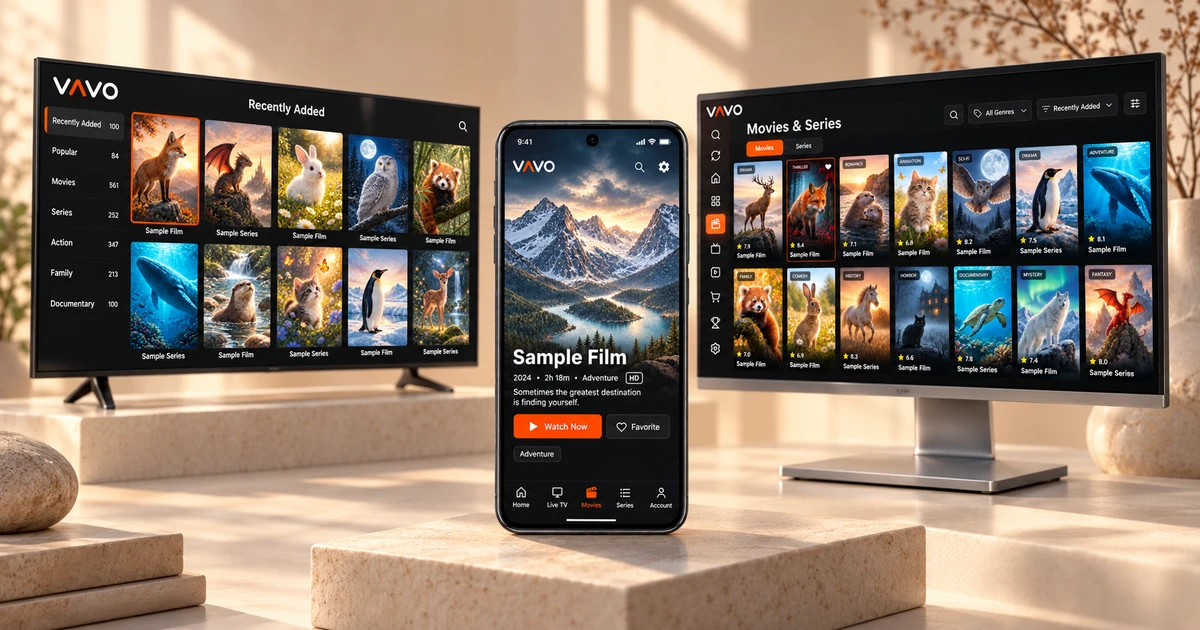

Looking for an XCIPTV alternative? Your next player can fit more than an Android screen. Vavo Player offers options for Windows, Mac, LG and Samsung, alongside a visual film and series library. Build a personal routine with favourites and unfinished episodes, and try it free for 60 days on your own device before buying.
- TV and desktop alongside Android
- Library, search and Continue Watching section
- $9 annual · $18 lifetime
Take your viewing beyond Android
Opening a video on your phone is not the same need as watching a long movie at your desk. On television you use a remote control; The computer has a mouse, keyboard and a larger work area. Make this difference the starting point when evaluating the XCIPTV alternative. The advantage of Vavo Player is that you can examine separate platform options for your different screens under the same brand.
The official Android description reviewed by XCIPTV includes Android TV, phone and tablet usage. If you're looking for a direct desktop experience on your Windows or Mac computer, or a suitable TV option on your LG webOS or Samsung Tizen display, you can start from Vavo Player's device pages. In this way, you can evaluate the features offered for that screen without trying to adapt a phone application to your device.
Vavo Player platforms include Android mobile, Android TV and Fire TV. Whichever version you choose, check the model compatibility with your actual device. Instead of waiting for the detailed playback setting on one platform to be the same on others, try the necessary features in your own use. The point of platform diversity is that it gives you the right starting point.
Give your library more room on Windows
Opening the window when choosing a player on the computer is only the first step. It's also important to find new movies in your library, look at seasons of a series, and use the other part of the screen while watching. Vavo Player's Windows experience brings these tasks together with visual cards, search, and desktop controls. You can create your own viewing preferences while browsing through large libraries.
The approach shown on our media player for Windows page treats your own content as a library to revisit. Category search, sorting options and card size preferences allow you to more easily determine what you want to see. The mini player is a tangible convenience that you can use when you want to minimize your viewing session and focus on other things.
If you are using a Mac, proceed through the macOS media player page. Vavo Player's desktop options offer alternatives you can explore directly for your non-Android computer. Measure the benefit in your own library: how many steps does it take to return to a video, find the favourite and select the existing audio track? The trial period is for you to see the answers to these questions with your real use.
Find an option for your LG or Samsung television
If your current television is LG or Samsung, search for alternatives. Vavo Player's LG TV player and Samsung TV player options allow you to review the experience suitable for the relevant operating system. You can create your own viewing routine on your compatible model through the visual movie and series library, favourites, search and remote navigation.
For those using Android TV, there is also the Vavo Player Android TV option. The difference here is that you don't have to decide based on one TV system. Choose the appropriate page for your home screen, see supported features and try your own media. Focus on the ease of use of each screen without promising that your devices' viewing history will automatically sync.
Explore your library through new additions and favourites
An application's support for movies and series alone does not mean a comfortable library experience. How you choose the content, how you see where you left off, and where you start when you come back tomorrow are also important. Vavo Player thinks of library navigation in terms of these daily iterations. Within your own media, discovery and return to viewing become complementary processes.
In Windows, you can make a different selection through genre filters and new additions. Looking at content information and season tabs makes it easier to recognize a series and choose the right episode. You can create your own preferences while reviewing the library with the card preview. Your favourites provide a place where you can store the content you want to watch without having to remember it separately.
Picking up where you left off reduces the need to search again every evening. You can see the remaining time on the desktop and remove the item you no longer want from the Continue Watching list. The best way to consider Vavo Player instead of XCIPTV is to set up this pattern with your own library. A few days of real use will show you which convenience saves you more time.
Choose controls that fit your viewing session
Evaluate Vavo Player's playback features based on your screen. In Windows, you can choose between available subtitles and audio tracks, adjust the subtitle appearance, and change the playback speed. Each video comes with a different source; Having the right control available ensures that the selection you make in the library continues comfortably during playback.
- Return to where you left off in your personal movies. Use the next episode countdown on desktop during series sessions or cancel to take a break.
- Adjust your video and audio preferences with Windows playback options. Adjust the subtitles so that you can read them more easily on your own screen.
- See buffer preference on supported platform. Evaluate the status of your connection with a speed test. Try the player features with your own media source.
Compare device support and daily use
| Your priority | Vavo Player option | What to check |
|---|---|---|
| Desktop viewing | Separate platform options for Windows and macOS. | Direct desktop library and use suitable for your screen. |
| LG and Samsung TVs | Device pages for supported TV systems. | Ability to examine the compatibility of your current television. |
| Everyday library | Visual cards, favourites, search and Continue Watching section. | Finding the content and returning to the unfinished video. |
| Trial period | 60 days free usage and clear licensing options. | Evaluate before purchasing with your own media. |
The Android focus included in the official description of XCIPTV is an important detail for the user looking for options other than Android. Therefore, evaluate Vavo Player not only by the number of features, but also by the personal library layout that you can use on your existing screens.
$9 a year or $18 lifetime for one device
In Vavo Player, 12-month licence is $9, lifetime licence is one-time $18. Each licence is tied to one device. Annual usage renews with new purchase; There is no automatic pricing. Before choosing Vavo Player licence, you can try it free for 60 days and evaluate the library, continuation and playback features in your daily routine.
Purchasing a licence does not mean you are purchasing a media subscription. Vavo Player does not provide channels, movies or series. You add the resources you have the right to use. Keep a copy of your source information when coming from XCIPTV, recreate your favourites and settings in Vavo Player. Get started without assuming automatic account or favourite transfer.
Questions before switching from XCIPTV
Can I use Vavo Player on an Android phone too?
You can examine the Android media player option. Evaluate touch operation and supported offline viewing features with your own device.
Does one licence open all screens?
No. One licence is tied to one device. For separate premium usage for computer and TV, consider the licence of each device separately.
Does Vavo Player offer the same features in all versions?
Features may vary by platform. Examine the features on the page of the device you will use and test it with your own media during the trial period.
Start with Vavo Player on your next screen
In your search for a XCIPTV alternative, consider Vavo Player. Choose the appropriate version for your computer or supported television, add your own library and create your favourites. See how it works on your actual viewing habits during the 60-day trial. Choose the player you will turn on every evening based on the convenience it offers for your daily use.
This article was prepared by Vavo Player Team. The official Android description of XCIPTV was reviewed on October 7, 2026. Platform information may change. The name XCIPTV is used for comparison purposes; Vavo Player is independent of the respective brand and developer.
Find your Vavo Player experience.
Explore the features for your screen and try Vavo Player with your own media.