Sparkle TV alternative: take Vavo Player beyond the television
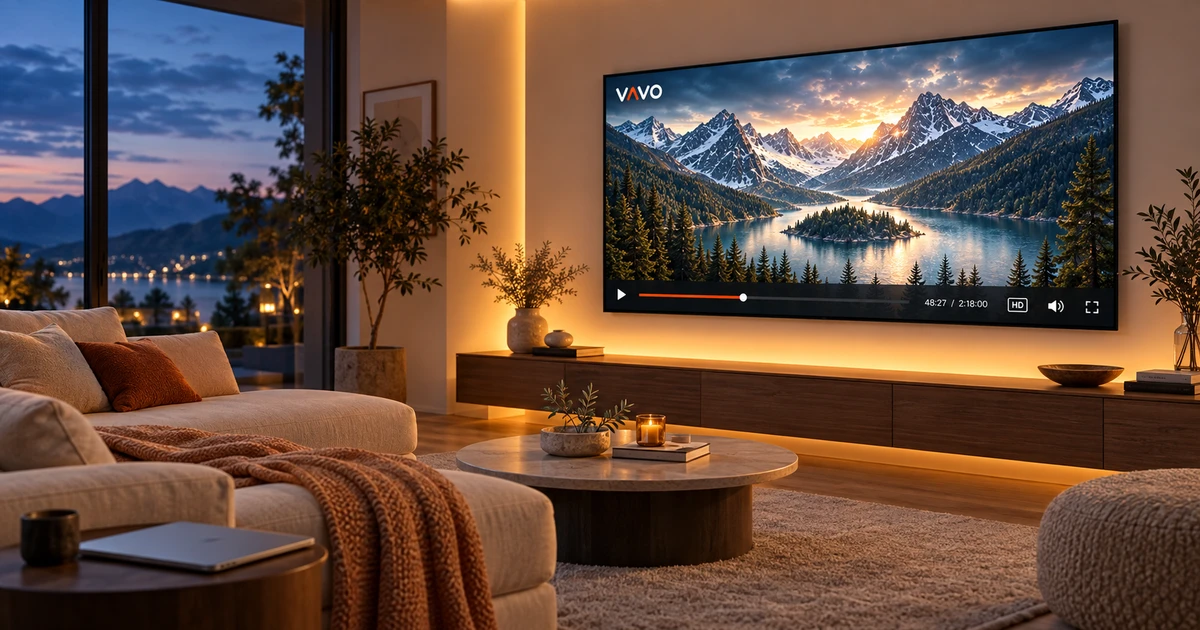

Looking for a Sparkle TV alternative? Your viewing can extend beyond one television. You may want to browse films on a computer, use touch controls on an Android phone or find an option for an LG or Samsung TV. Vavo Player offers a visual film and series library across these device choices, with clear licence options. Try it free for 60 days on your own screen.
- Desktop and Android next to TV
- Personal library, favourites and continue
- $18 lifetime device licence
Take your viewing beyond the TV room
Watching a movie in front of the TV in the evening and watching a video on the computer during lunch are different ways of using it. Remote, mouse and touchscreen do not require the same controls. When selecting Vavo Player, you can check the separate platform page for the screen you use. This approach avoids having to plan your personal media experience around a single device type.
Sparkle TV's reviewed official app description focuses on the Android TV, Google TV and Fire TV experience. In addition to these TV options, Vavo Player also offers platform pages for Windows, macOS, Android mobile, LG webOS and Samsung Tizen. This scope gives you a solid start when looking for options directly on your computer or your television's own system.
The important thing here is not that the same account automatically moves everything on different screens. In Vavo Player you separately evaluate each device's compatibility, features and licence. The advantage is that you can review the appropriate experience for the screen you have. By establishing your own usage pattern on that device, from favourites to the Continue Watching section, you can base the player decision on your actual viewing habits.
Browse your films on a computer
You may want to spend time with your own media before switching to television. In the media player for Windows experience, you can browse your library in a large area, search within the category and change the sorting. Making selections with the mouse and adjusting the window size to suit your use makes daily viewing on the computer more natural. The Vavo Player desktop option can be directly evaluated for this habit.
If you need to do other work on your computer while watching a series, the mini player may be useful. You can minimize the viewing session and return to the larger area later. In Windows, subtitle appearance, playback speed and image settings are controls that you can adjust according to your own video. Instead of just using the display as an extension of a TV app, you can start from your desktop needs.
Mac users can proceed from the macOS media player page. Evaluate the features of the relevant version on your own device; Don't assume that detailed Windows controls are the same on all platforms. While you are searching for an alternative to Sparkle TV, if your computer is also included in your usage plan, Vavo Player's desktop options may be your reason for choosing.
Start with the Vavo Player platform for your LG or Samsung
If you have an LG or Samsung television, research the player based on your current model. Our LG TV player and Samsung TV player pages have been prepared for you to examine the use of Vavo Player in the relevant system. You can start with daily needs such as movie and series library, remote navigation, favourites and search. See how it feels to choose a video and proceed to watch it on your own screen.
There is also Vavo Player Android TV option for Android TV and Fire TV option for your Amazon device. Perusing the catalog will help you find the right one for the display you have. Evaluate the compatibility of your existing television before deciding to purchase a new device. The platform page and free trial allow you to do this research directly for your own use.
Make room for your own films and series
The experience you expect from the player may sometimes be a live program, sometimes a movie from your library. Vavo Player provides options for using your own authorised media sources in a visual layout. Movie and series cards, categories and Continue Watching section. It helps you create a personal library that you'll revisit beyond just opening a feed.
You can select content in the Windows library via genre filter, newly added and category search. Reviewing the summary and available trailer in the information area makes it easier for you to decide on the movie to watch. Season tabs and unfinished episode tags in series make a long journey in your library more understandable. The difference of Vavo Player is that it brings these daily choices into a harmonious order.
Favourites keep the movies you want to watch in the future in a separate place. The Continue Watching section gives you a way to return to the video you started. You can see the remaining time on the desktop and remove unwanted content from the Continue Watching list. Using your own library in this way gives you a familiar start no matter what day you turn on the player.
Enjoy your videos with touch controls on Android
Vavo Player The Android media player option provides an experience that starts with touch navigation on the phone. Choosing your own video on a smaller screen, using existing audio and subtitle tracks, or considering supported offline viewing makes room for your mobile habit. You don't have to think of the phone as just a companion display for which you purchased a TV licence.
Having suitable options for phones, computers and televisions does not mean that all screens are opened with the same licence. Plan premium usage for each device separately. The compatibility of your media source and the features offered should also be evaluated according to the platform. Starting the experiment with the screen you use most often makes it clearer which features really help you.
What makes Vavo Player worth choosing?
| Your need | Vavo Player option | What to check |
|---|---|---|
| Viewing beyond TV | Separate desktop pages for Windows and Mac. | Evaluate the use of libraries and windows on your computer. |
| Your LG or Samsung TV | Platform option suitable for the relevant TV system. | Check compatibility with your TV model. |
| Media on your phone | Touch usage on Android. | Try your own videos with your daily mobile habit. |
| Personal viewing | Favourites, search and continue where you left off. | Return to your library in multiple real sessions. |
Start with one screen and choose your licence after the trial
In Vavo Player, 12-month licence for single device is $9, lifetime licence is one-time $18. Annual usage is renewed with a new purchase and there is no automatic renewal fee. See if the application is suitable for you with your own library in your 60-day free trial. You can evaluate Vavo Player licence options after this experience.
Purchase does not include channel, movie or media subscription. Vavo Player provides licence for software features. You add your own authorised sources. Create your new layout in Vavo Player, without assuming that your settings and favourites will be automatically moved when coming from Sparkle TV.
Questions about viewing beyond TV
Can I turn on a TV and computer with a single licence?
Each Vavo Player licence is tied to one device. Consider each device separately for premium use on separate screens.
Can I try Vavo Player if I'm using Android TV?
Check device compatibility and features on the relevant platform page. You can start a free trial with your own media.
What difference stands out in this article?
Vavo Player's usage approach that combines desktop, mobile and supported TV options with a personal library stands out.
Discover Vavo Player on your own screen
As an alternative to Sparkle TV, consider Vavo Player as a choice that considers computer and Android use as well as your television. Choose the compatible display you use most often and add your library. 60 days with your favourites, series, and your own videos ensures your purchasing decision is based on actual usage.
This comparison was prepared by Vavo Player Team. Sparkle TV's TV focus was reviewed from the official app description on October 7, 2026. Platform information may change; brands are independent. Evaluate Vavo Player features for your own device.
Find your Vavo Player experience.
Explore the features for your screen and try Vavo Player with your own media.